
Installation
One server, Docker, a domain name: twenty minutes. Every install is independent — your bot, your database, your data, no link to the author or to any other instance. You are its only administrator: no account to create, you sign in with your Discord account.
Version française : Installation. The dashboard itself is available in French and English (per-user setting).
1. What you need
| Why | |
|---|---|
| A Linux server (1 GB of RAM is enough) with Docker and Docker Compose v2 | everything runs in containers: MariaDB, Redis, the bot and its dashboard |
A domain name pointing to that server (tickets.example.com) | Discord only allows signing in to the dashboard over HTTPS on a public address |
| Ports 80 and 443 open | automatic HTTPS certificates (Let's Encrypt) — unless you already run a reverse proxy |
| A Discord application (step 2) | the bot itself and the "Sign in with Discord" button |
Installing Docker: https://docs.docker.com/engine/install/.
2. Create the Discord application
On https://discord.com/developers/applications:
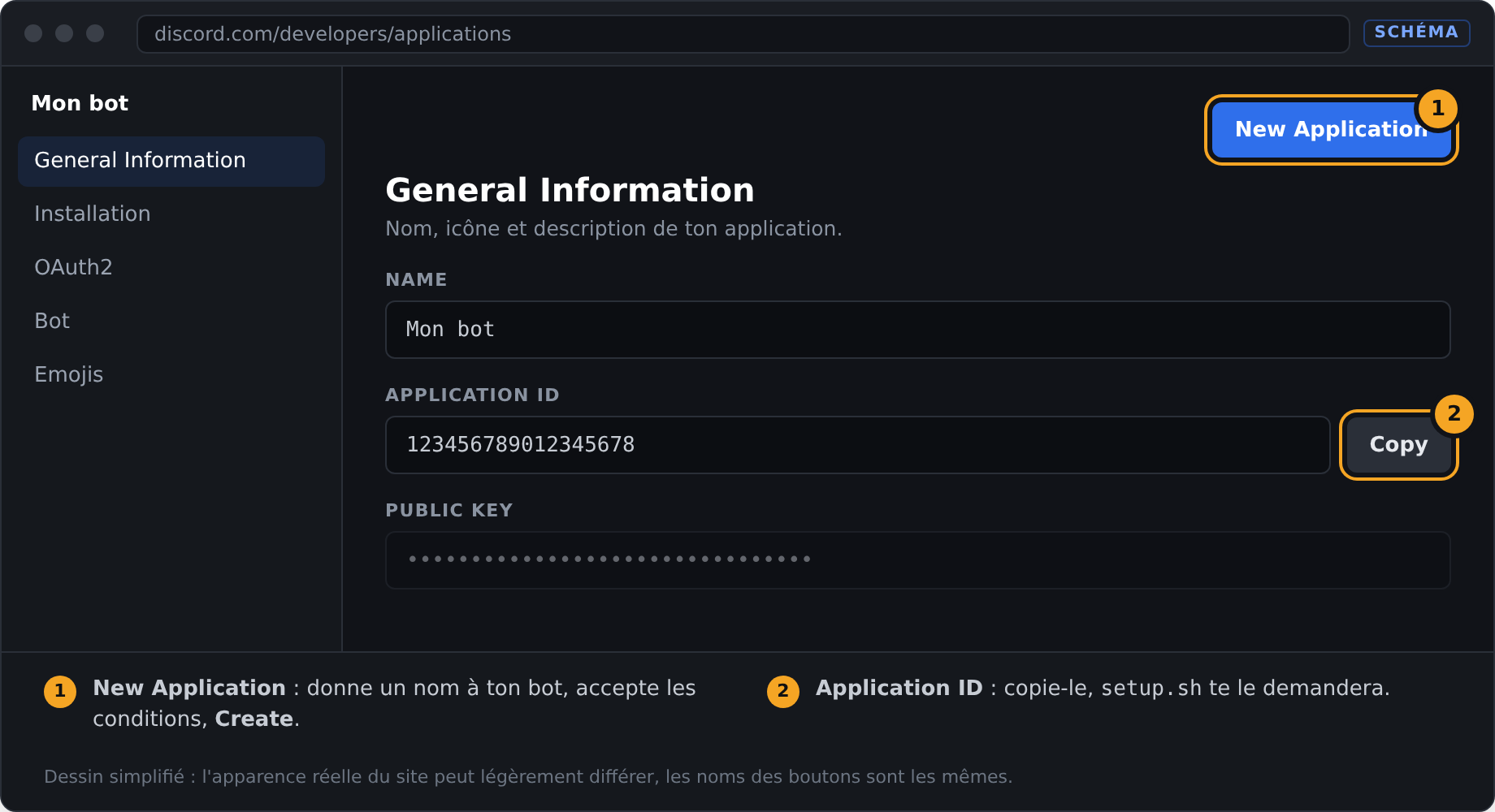
New Application, name it after your bot.
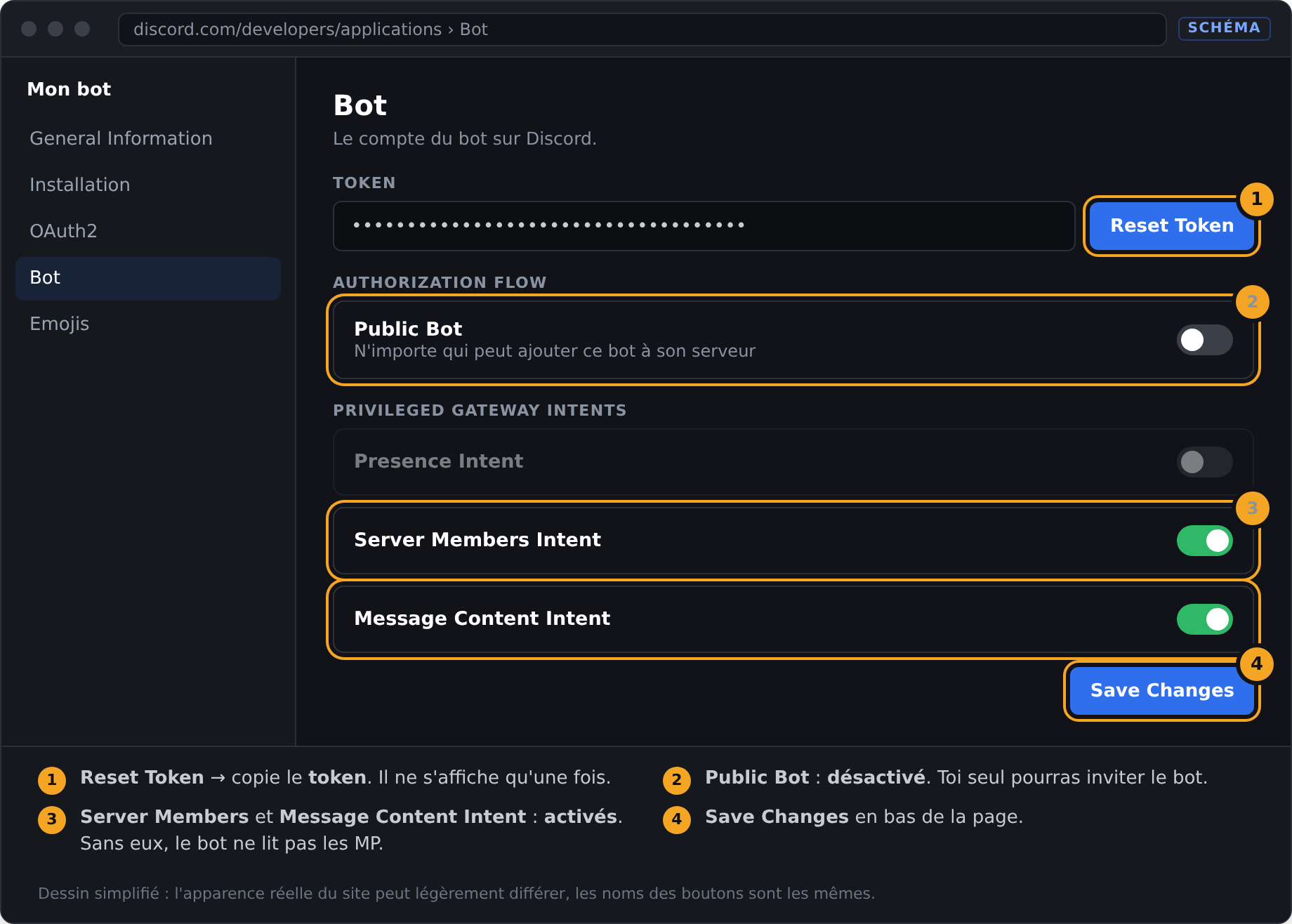
Bot tab → Reset Token → copy the token (it is shown once). Untick Public Bot: only you will be able to invite the bot.
Still under Bot, Privileged Gateway Intents: enable Server Members Intent and Message Content Intent (without them the bot cannot read direct messages).
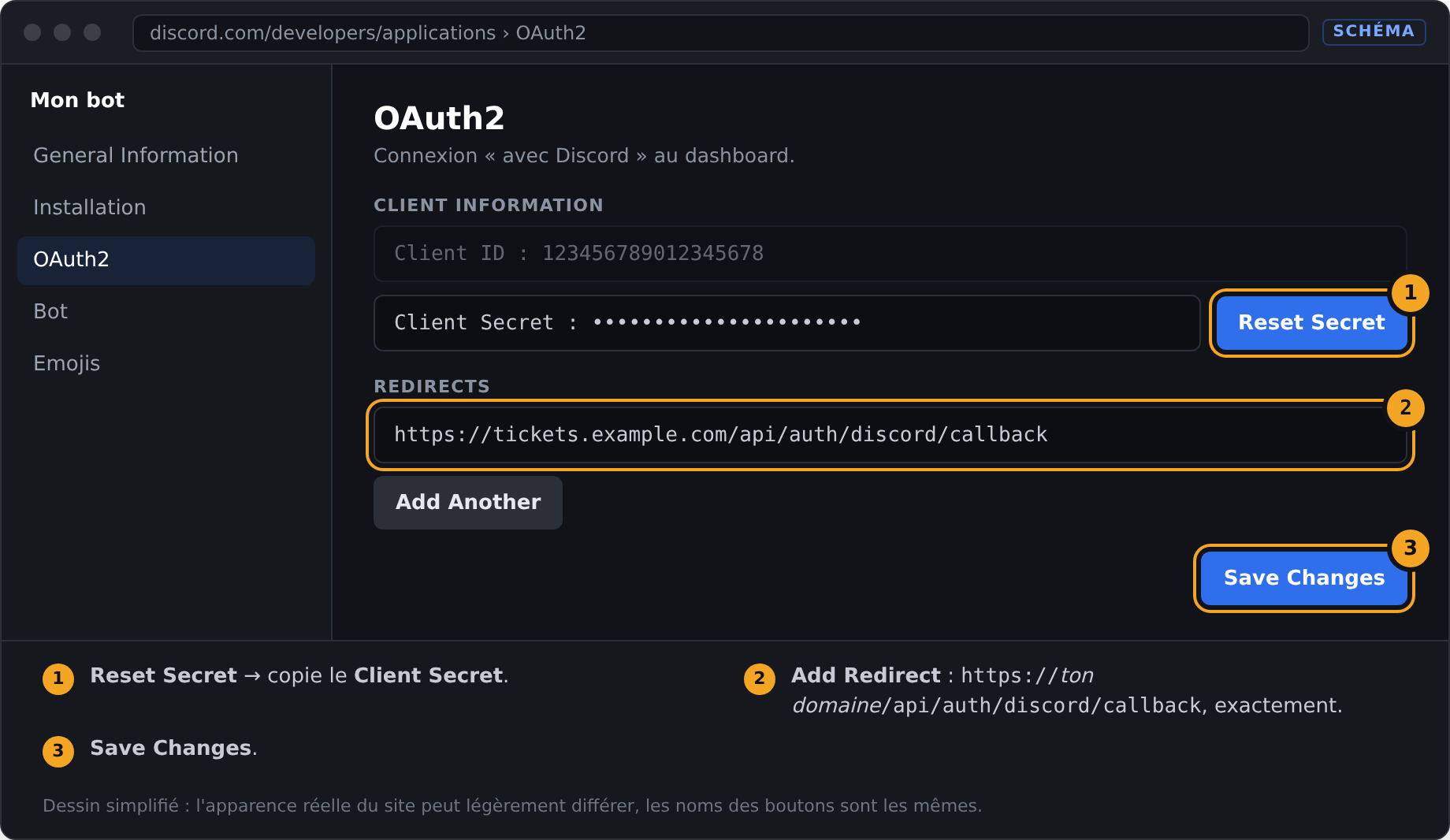
OAuth2 tab → copy the Client Secret (Reset Secret if needed). The Application ID is on General Information.
Still under OAuth2 → Redirects → Add Redirect:
https://tickets.example.com/api/auth/discord/callback(your domain, exactly this path). Save.
You now have three values: the token, the Application ID and the Client Secret. The Discord account that owns this application owns the instance (for a team application: the team owner and admins).
3. Install
git clone https://github.com/LuquyPest/Bot-ticketting.git
cd Bot-ticketting
scripts/setup.sh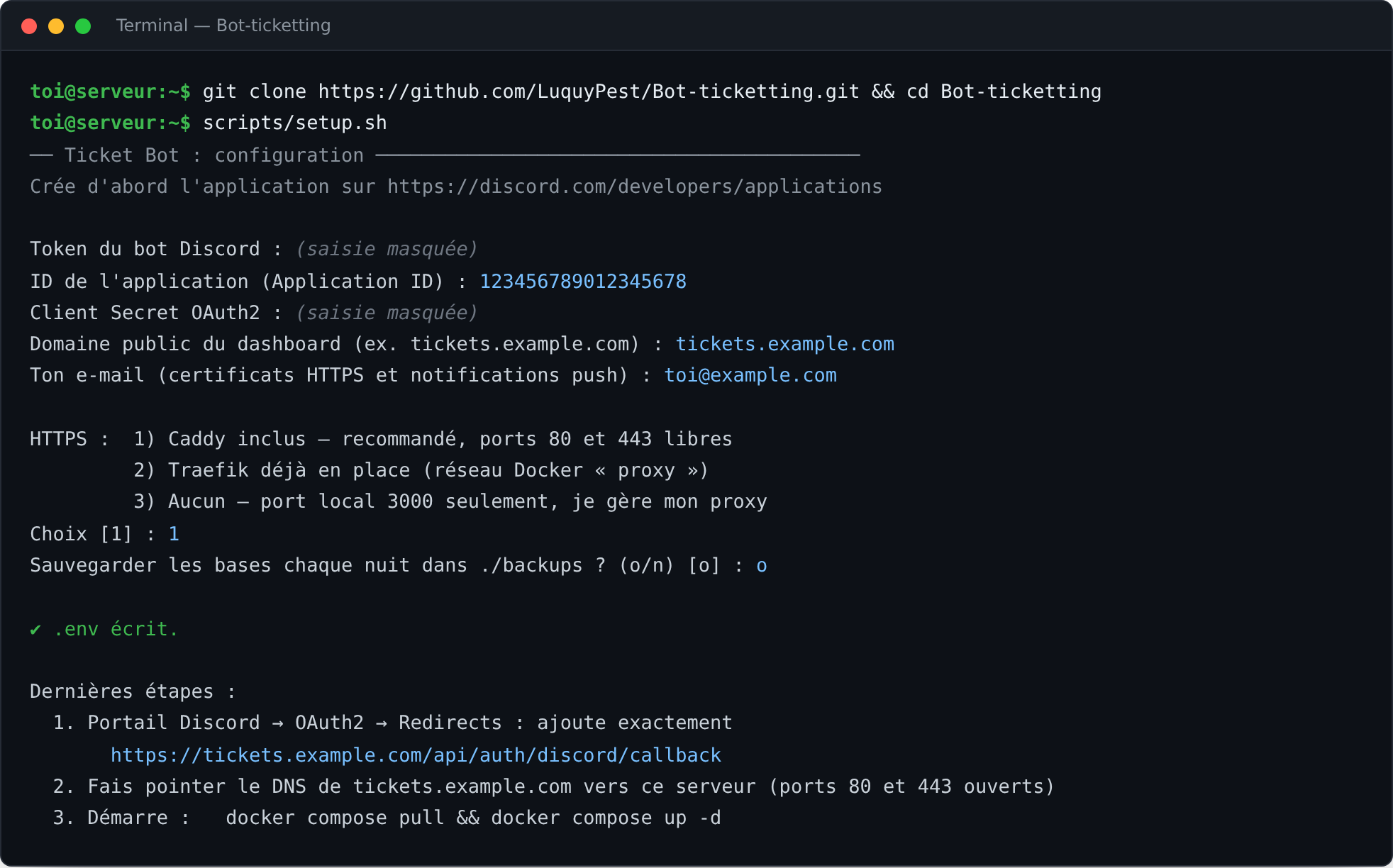
The script (prompts in French) asks for the token, the application ID, the client secret, your domain, your e-mail, the HTTPS mode and the nightly backup, then generates every password and secret into .env (private file, chmod 600).
Three HTTPS modes:
- Bundled Caddy (default): nothing to configure, automatic certificates. Needs ports 80 and 443.
- Existing Traefik: the bot joins the
proxyDocker network with labels for theweb/websecureentrypoints and theletsencryptresolver; editdocker-compose.traefik.ymlif your names differ. - None: the dashboard listens on
127.0.0.1:3000; put your own proxy in front (Nginx:proxy_buffering off;for the real-time stream) and setTRUSTED_PROXY_HOSTorTRUST_PROXY_HOPSin.env.
Then:
docker compose pull          # published image (ghcr.io/luquypest/bot-ticketting)
docker compose up -d
docker compose logs -f bot   # « Tout est prêt » = running; Ctrl+C leaves the logs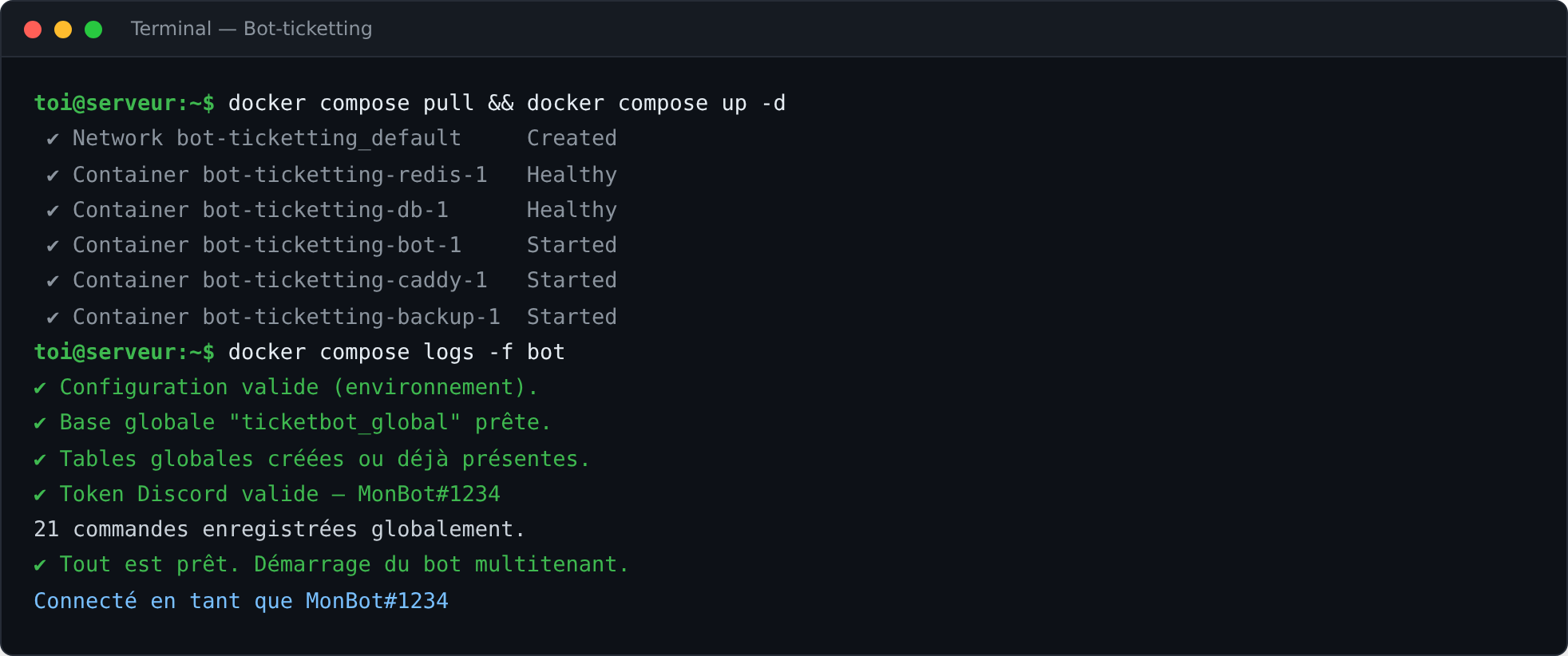
The first visit to https://tickets.example.com may wait a minute for the certificate.
Without the script, copy .env.example to .env and fill it in by hand: every variable is commented.
4. First start
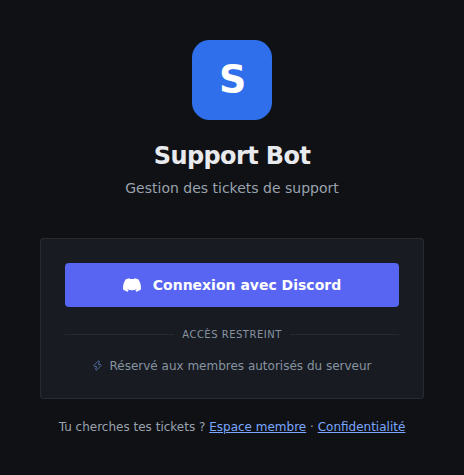
Sign in: open
https://tickets.example.comand sign in with Discord, using the account that owns the application. You are recognised as the owner of the instance.Invite the bot: the server picker offers « Inviter le bot » on every server where you have Manage Server. The server is ready as soon as the bot joins: you are its founder and get a DM with the dashboard link.
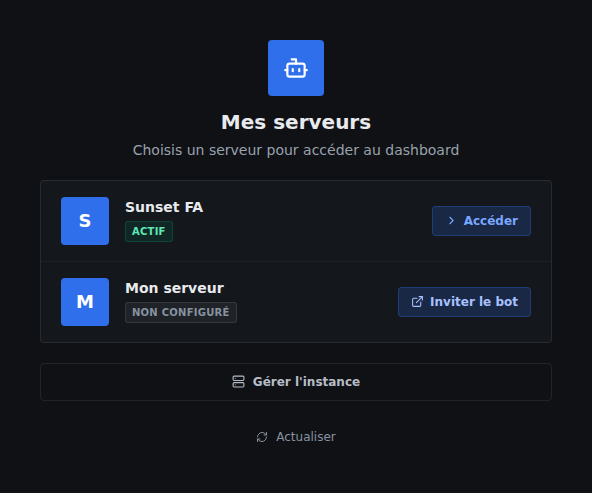
Settings: in the dashboard, Paramètres → access roles (which Discord roles are staff), ticket channel category, welcome messages… Everything is done from the dashboard, nothing in files.
Instance section (Administration menu, or « Gérer l'instance » on the server picker): your servers and their founders, bot health, errors and their alert (DM to you by default), the log, blocked addresses and the demonstration server (off by default).
To let someone else manage the instance, add their Discord ID to OWNER_IDS (.env) and restart. To let them manage a single server, make them a founder of that server instead.
5. Day to day
| Action | Command |
|---|---|
| Update | docker compose pull && docker compose up -d — see Updates (French) |
| Back up | automatic every night into backups/, encrypted with BACKUP_KEY (backup service); on demand: scripts/backup.sh. The key is also shown to the owner in Paramètres → Sécurité: keep it off the server with a copy of .env (ENCRYPTION_KEY decrypts the transcripts) |
| Restore | scripts/restore.sh backups/ticketbot-<date>.sql.gz.enc (integrity checked before anything is written) |
| Logs | docker compose logs -f bot |
| Restart | docker compose restart bot |
| Stop | docker compose down (data stays in the Docker volumes) |
| Remove everything | docker compose down -v — also deletes the databases |
| Pin a version | TICKETBOT_VERSION=v3.0 in .env instead of latest |
6. Troubleshooting
"Aucune configuration trouvée" at start → .env is missing or empty; run scripts/setup.sh again.
The bot ignores direct messages → Message Content Intent is off (step 2.3). After enabling it, docker compose restart bot.
"Invalid OAuth2 redirect_uri" when signing in → the redirect URL in the Discord portal must be exactly https://<your domain>/api/auth/discord/callback, and PUBLIC_URL in .env must be https://<your domain> without a trailing slash.
No HTTPS certificate → DNS does not point to the server yet, or ports 80/443 are closed (firewall, router). docker compose logs caddy says why.
No « Instance » section or invite button → you are not signed in with the account that owns the Discord application (developer portal → General Information → Owner). Add your ID to OWNER_IDS if intended, then docker compose up -d.
The bot leaves a server right after joining → ALLOWED_GUILDS is set and this server is not in it.
Use my own privacy policy → the built-in /confidentialite page fits most cases (with the CONTACT_EMAIL address); for your own, put its address in PRIVACY_URL.
I want to keep a config.json → still supported: mount it into the container (commented lines in docker-compose.yml). Environment variables override its values.
Questions: GitHub Discussions; bugs: open an issue.